Swapping Apache for nginx
That is all you type
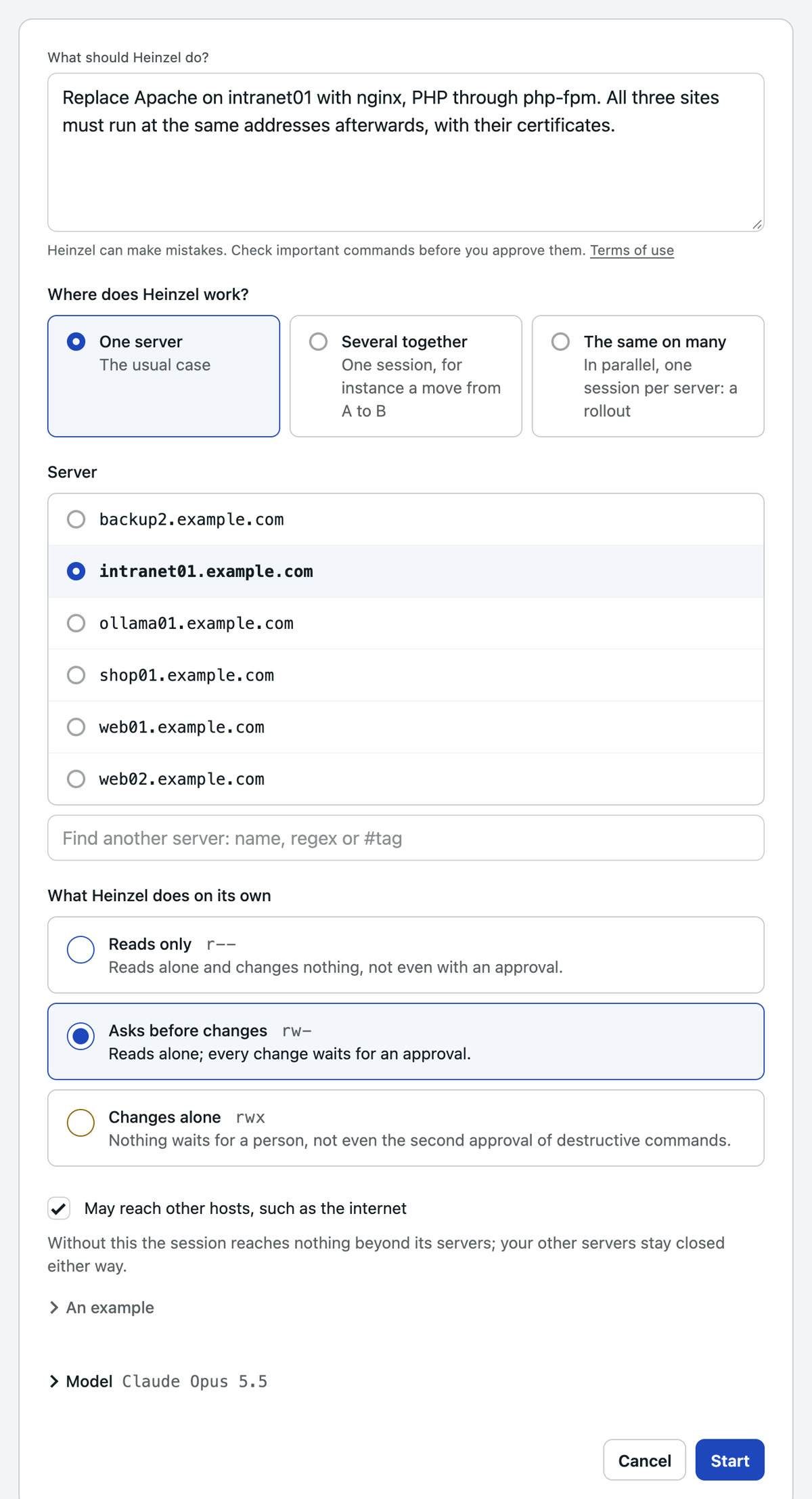
“Replace Apache on intranet01 with nginx, PHP through php-fpm. All three sites must run at the same addresses afterwards, with their certificates.”
- Who
- The admin, on a quiet afternoon
- Server
- intranet01, Apache with three sites and PHP
- Your part
- One sentence, reading the plan, one approval
- Level
rw-Asks before changes, see the three levels
Problem
intranet01 has run Apache with mod_php for years: intranet, wiki and time tracking, with a configuration many hands have touched. Every connection costs a process with PHP inside, memory runs short, and nobody knows any more which rule in which .htaccess is there for what. The move to nginx with php-fpm has been on the list for a year, because it costs an afternoon of reading and something can go wrong at the switch.
Wanted: nginx and php-fpm instead of Apache, the same three addresses with the same certificates, seconds without an answer at most, and a way back.
Solution
One sentence, and Heinzel Pro reads Apache out, writes the server blocks, shows the plan and switches after your approval. Apache stays installed, only off.
Step 1: You say what is to hold afterwards
The sentence above names the goal and the condition: the same addresses, with certificates. You pick intranet01 and leave the level at "Asks before changes": reading runs alone, the rebuild waits for you.
Step 2: Heinzel Pro reads Apache out
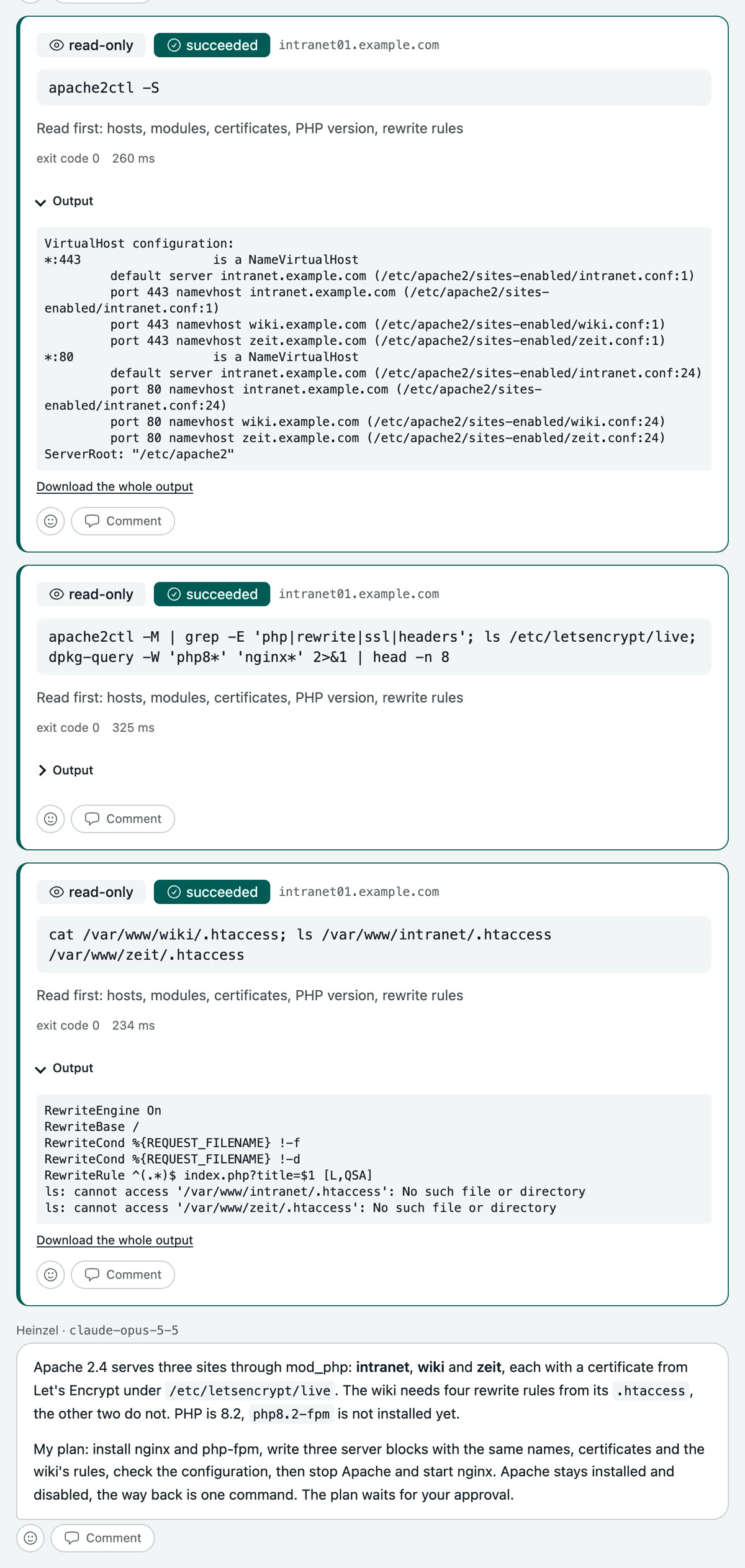
Three reading commands: which virtual hosts there are, which modules and certificates, and whether a .htaccess holds rules. Then the finding stands: three sites through mod_php, certificates from Let's Encrypt, four rewrite rules in the wiki, php-fpm not installed yet.
Step 3: You read the plan and approve it
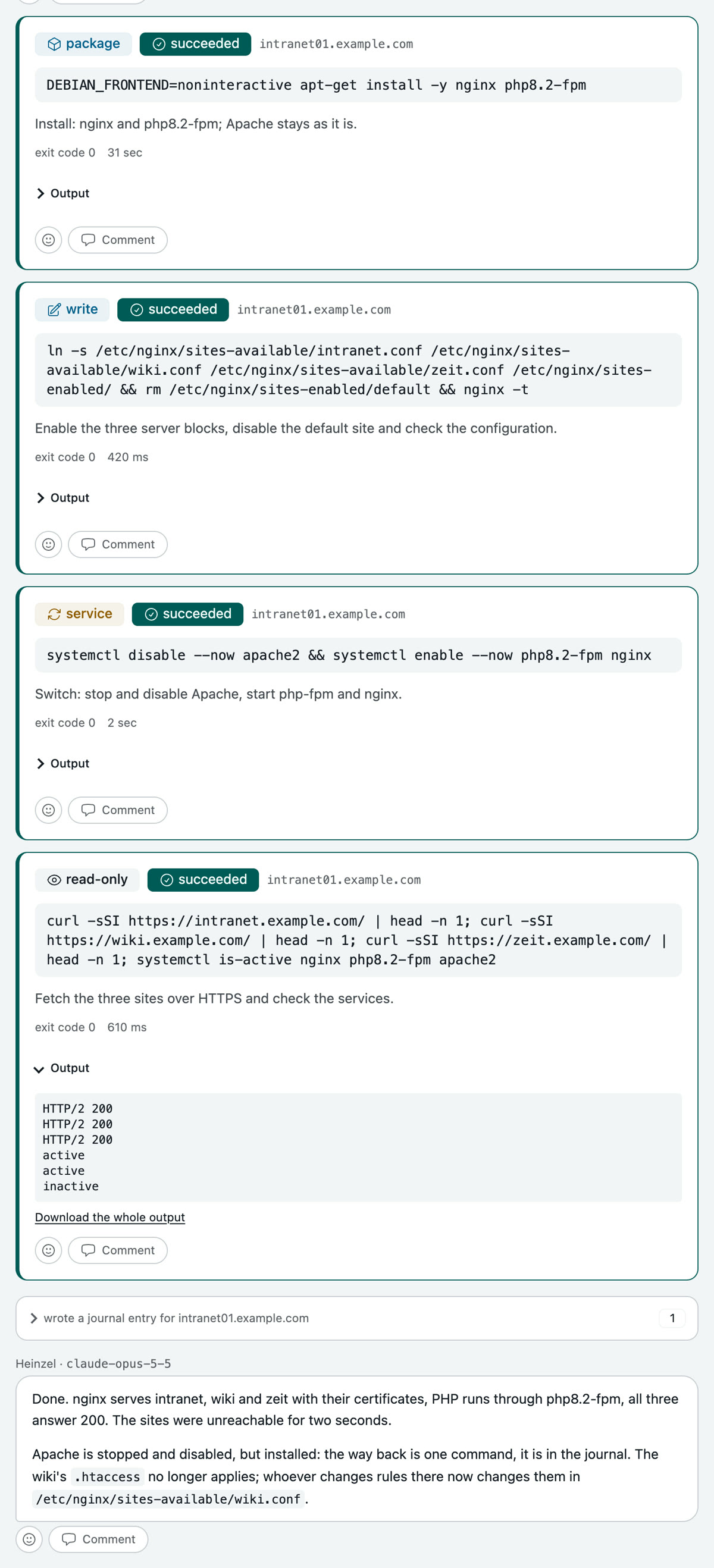
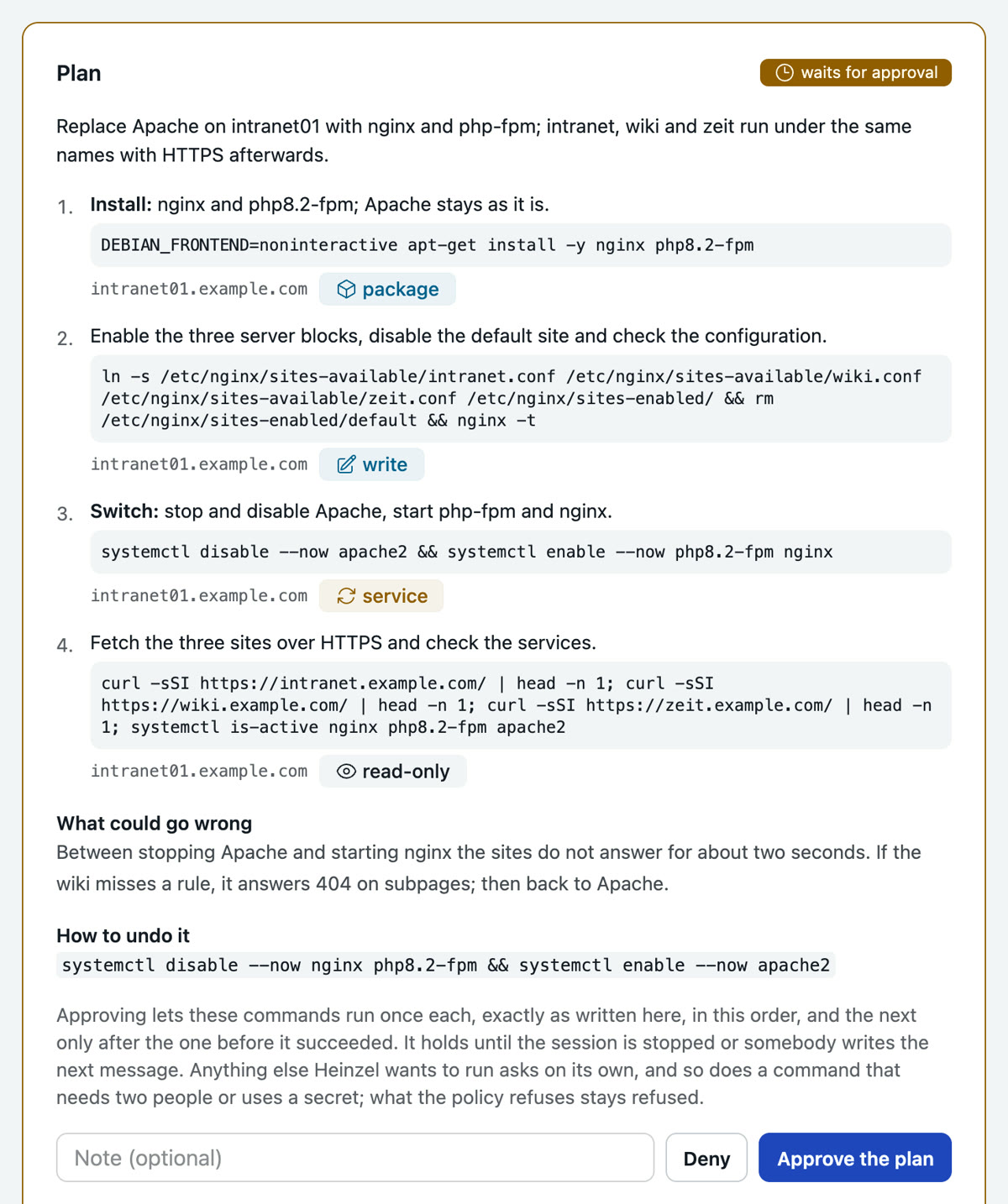
Four steps, each with its command and classification: install, enable the server blocks and check, switch, fetch the three sites. With them, what could go wrong, two seconds without an answer or a missing wiki rule, and the one command back. One click approves all four; they run in this order, each only once the one before succeeded.
Step 4: Heinzel Pro switches and writes down the way back
The sites were unreachable for two seconds, then all three answer 200 through nginx. Apache is off, but installed; the way back is in the journal of intranet01, together with the note that the wiki's rules now live in the server block and no longer in the .htaccess.